- How do I create a VibeFam studio account?
To create a VibeFam studio account, go to the signup page, fill in your studio details, and click Create My Studio. The process takes less than a minute and lands you on the Overview dashboard.
Go to the signup page here: https://app.vibefam.com/signup - Enter your studio details: Studio Name, Email, Password and Country
- We recommend using a dedicated studio email address rather than your personal email.
- Click on 'Create My Studio' to get started!

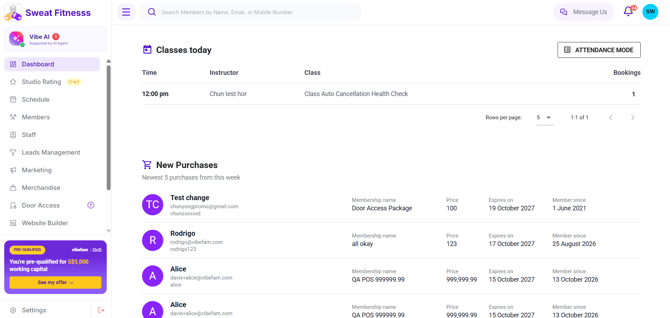
- Once logged in, you'll be on the Overview page. This central dashboard displays studio statistics and booking charts — giving you a quick snapshot of how your studio is performing once you have classes scheduled and members booking.
English