Prepare Your Igloohome Account
-
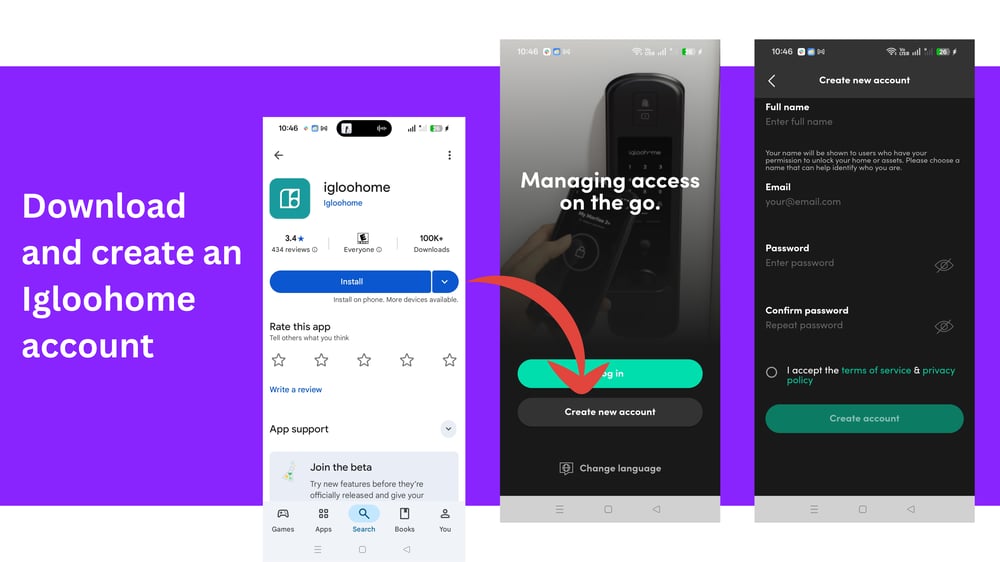
Download the Igloohome App (available on Play Store and App Store).
-
Create an Igloohome account to manage your locks.
Pair Igloohome Locks and Devices
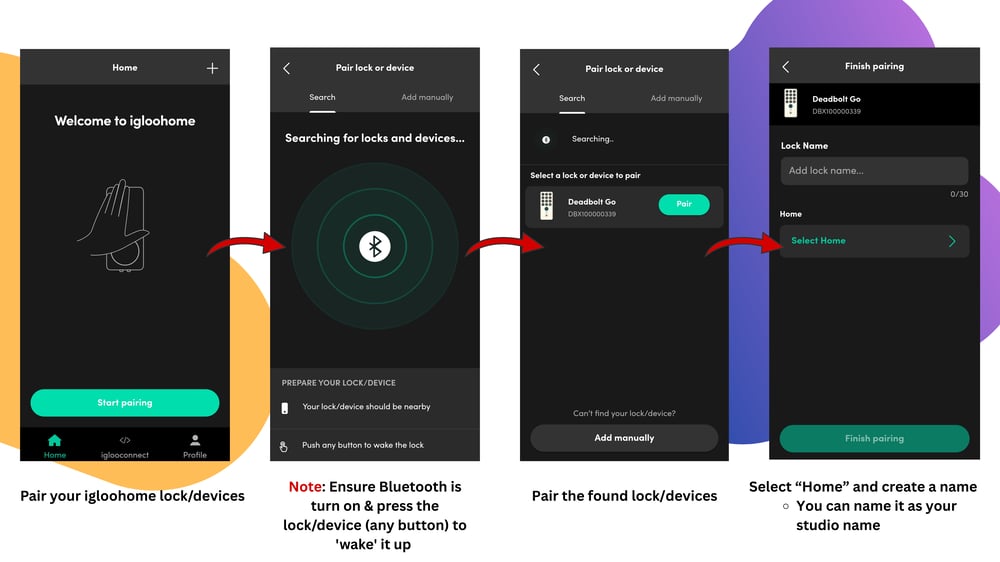
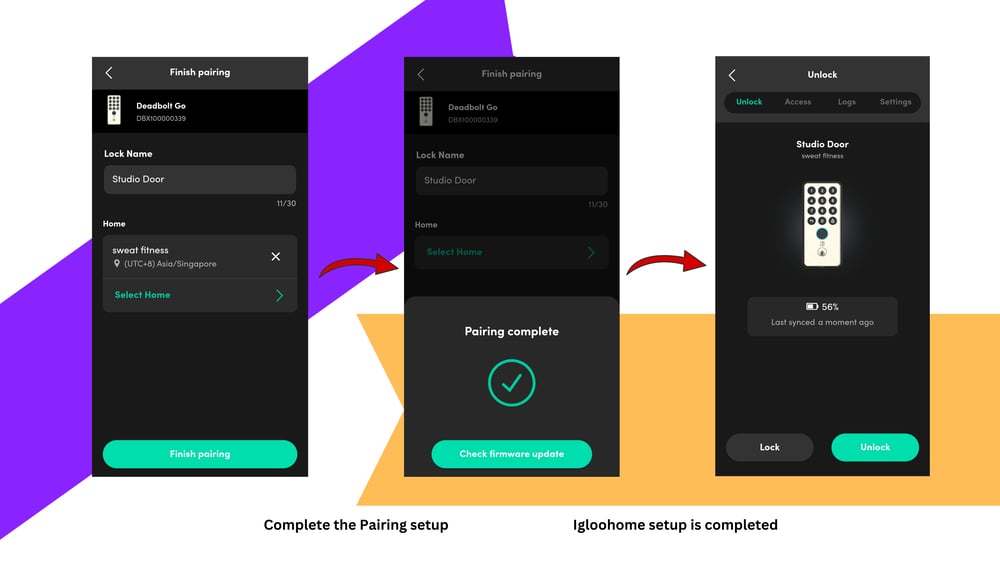
Pair your lock(s) with the Igloohome account.
-
- To search for locks and devices, you'll need to press any button on the lock to "wake" it up.
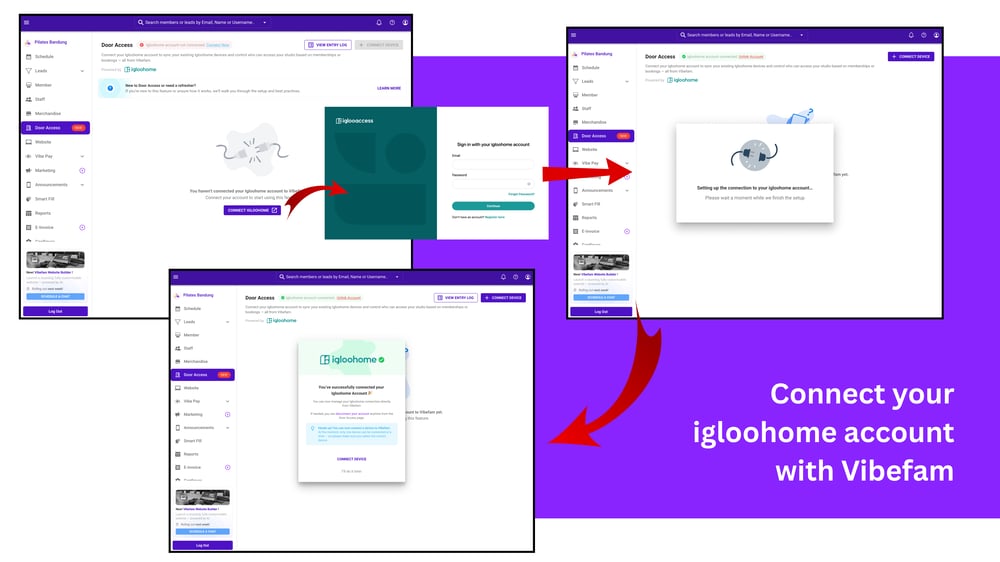
Step 1: Navigate to Vibefam Door Access
-
- Log in to your Vibefam account and navigate to the Door Access page.
- ℹ️ Note: Contact us to unlock this access. - Click Connect Igloohome.
- Log in with your Igloohome credentials.
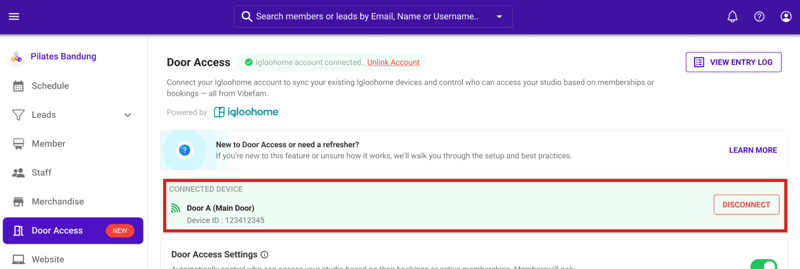
- Once connected, Vibefam will sync your devices.
- Log in to your Vibefam account and navigate to the Door Access page.
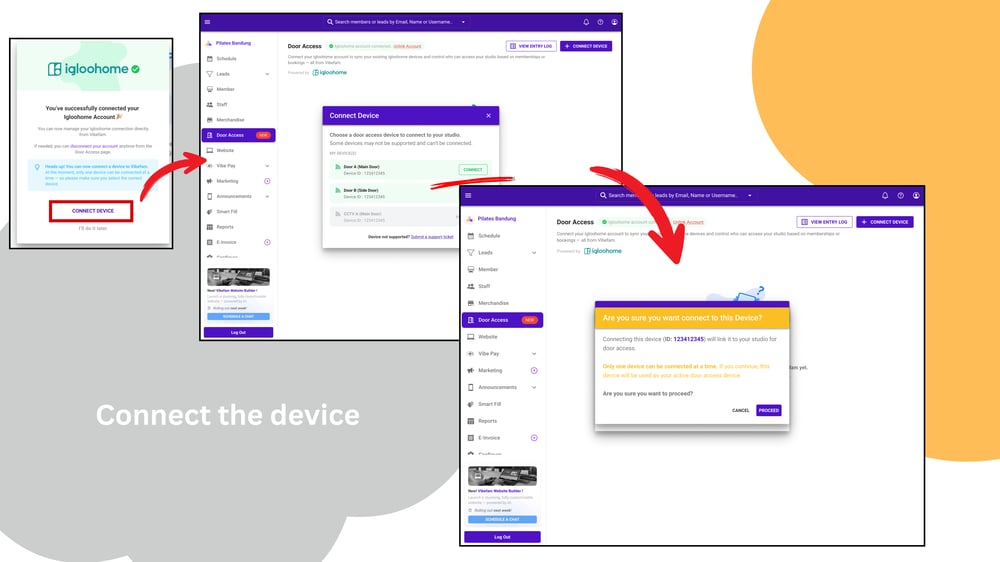
Step 2: Door Access Device Selection
-
Click "Connect Device"
-
Select the device(s) you want to connect.
- The device will appear in your Door Access page with its name and ID.
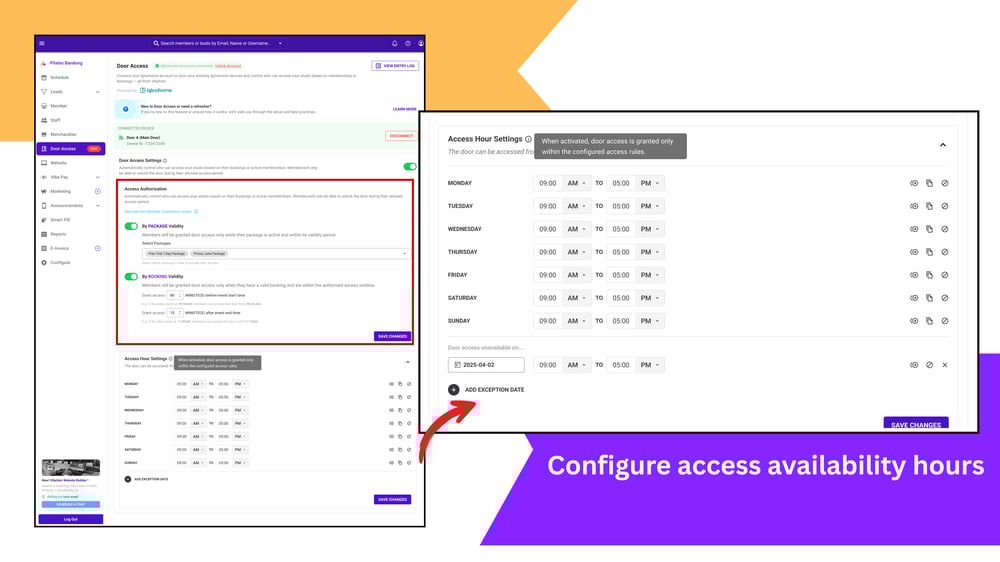
Step 3: Configure your Door Access Settings
On the Door Access Settings Page, you can configure:
- Access Hours
Define when members can unlock the door (days, times, holidays). - Authorization by Package Validity
- Toggle ON to allow access only for members with active packages.
- Select “All Packages” or specific packages.
- Authorization by Booking Validity
- Toggle ON to allow access only for members with valid bookings.
- Configure buffer times (e.g., 15 minutes before and after class).
- Active Settings Toggle
Turn Door Access ON/OFF for your studio.
 Note: You can disconnect devices at any time (members will lose access if disconnected)
Step 4: Member Experience
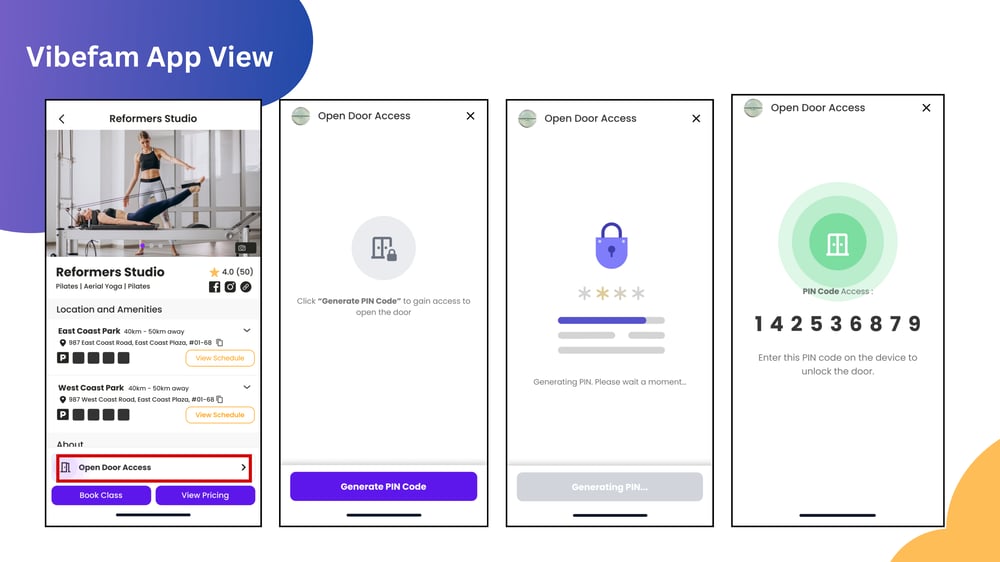
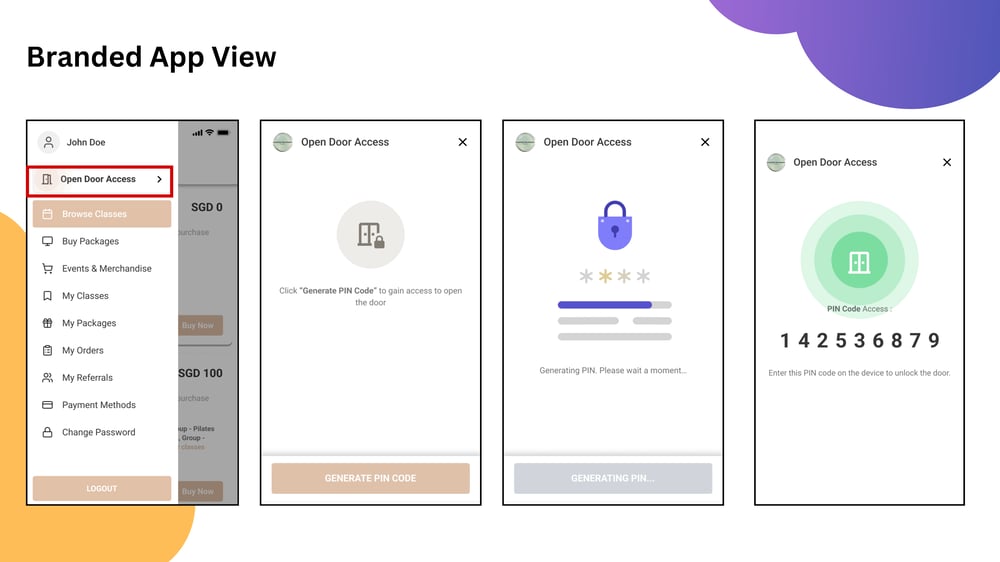
Members can access the studio via the Vibefam App or your Branded App:
- Members click on "Open Door Access"
- The system validates entitlement before generating a PIN.
- If access is denied, members will see a clear message (e.g., “Your package hasn’t started yet. You don't have an active package for door access .”).
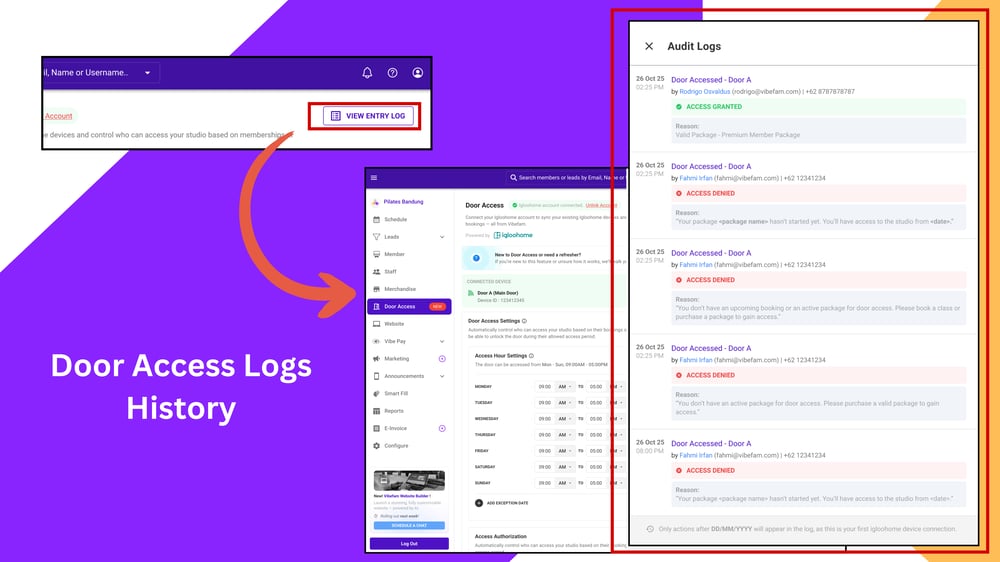
Step 5: Monitor Entry Logs
-
Go to Door Access > Entry Log.
-
View all access attempts in descending order by timestamp.
-
Logs include successful entries and denial reasons (e.g., expired package, outside access hours).