Skip to content

Member Door Access

What is Door Access?

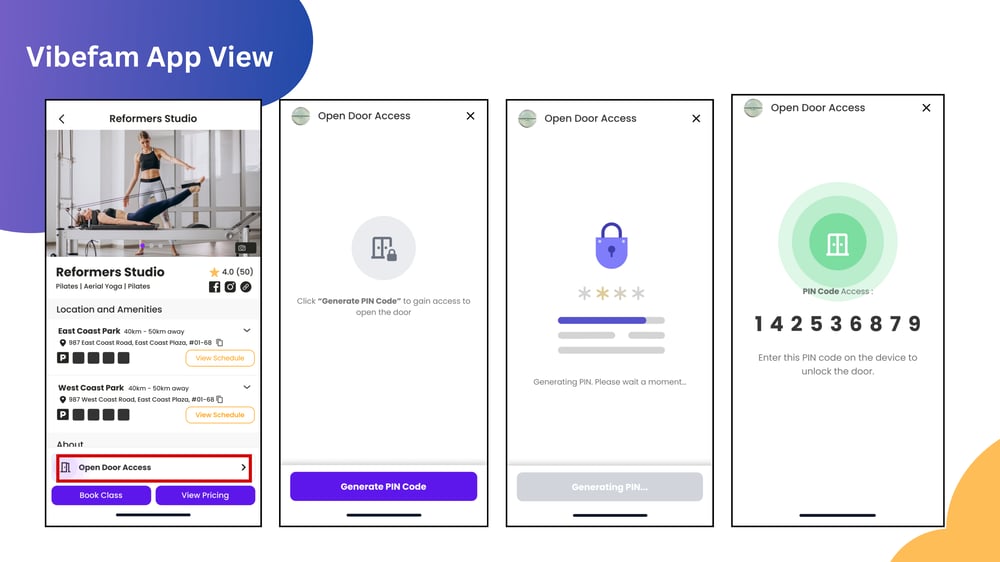
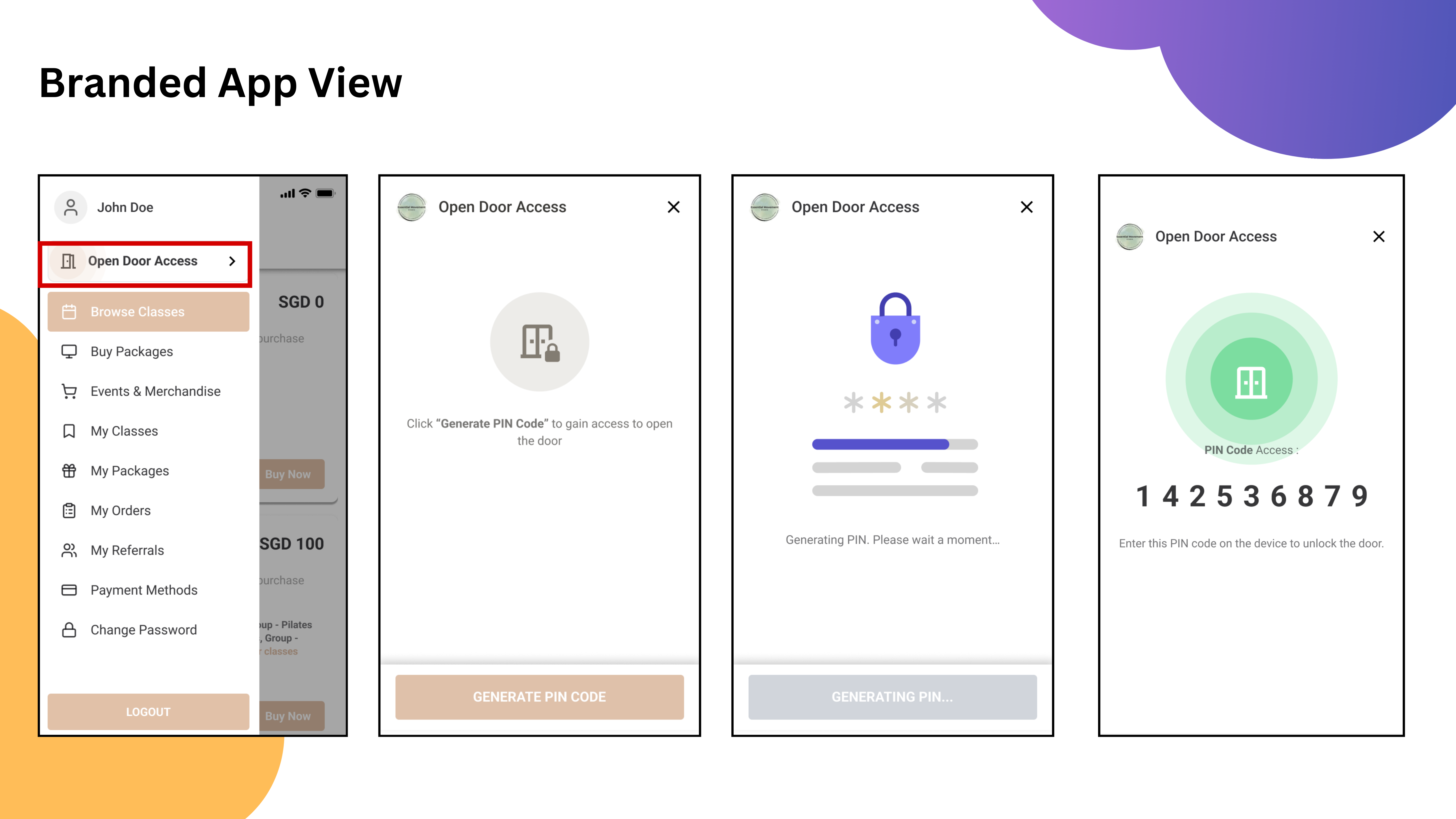
Door Access lets you enter the studio securely using a PIN code generated from your Vibefam App or your studio’s App. Your access is linked to your active membership or valid booking, so only entitled members can enter.

Entering the Studio

  • Go to the studio door with your PIN code ready.

  • Enter the PIN on the Igloohome lock keypad.

  • If valid, the door will unlock and you can enter.

  • If denied, the app will show a message explaining why (e.g., package expired, booking not yet started).
Door Access 9-2

Door Access 7


Valid Access and Access Hours

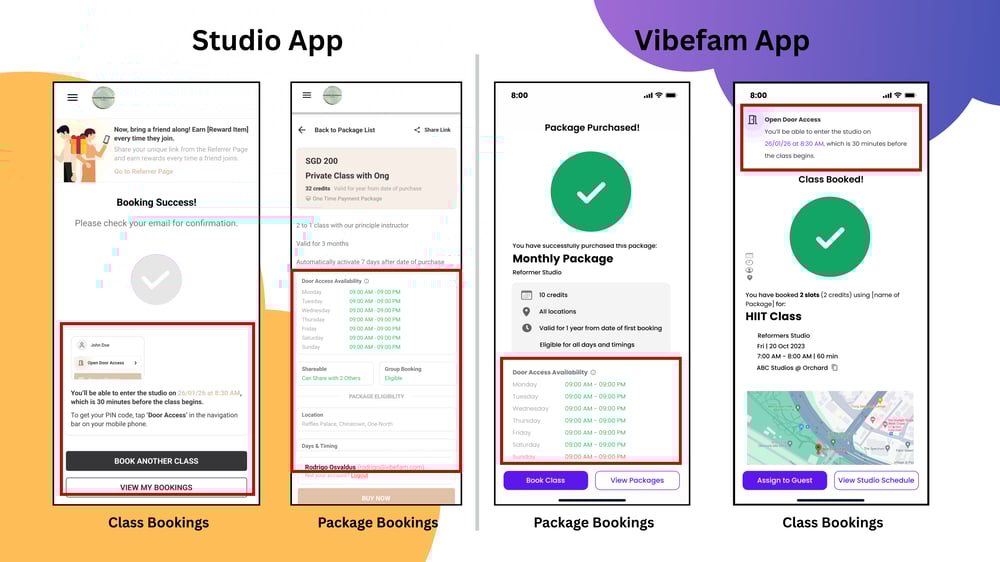
There are TWO ways you can generate your PIN code (Door Access):

*Depending on the studio configuration - Do check in with your studio.

  1. If you have a valid class booking
  2. If you have an active package

The system will check your entitlement and generate a PIN code if you qualify.
Door Access 10

Troubleshooting

No PIN Generated
  • While attempting to generate the pin code, the system will show you the error. 
    •  ℹ️ Make sure you have an active package or a valid booking. 
  • Check if you’re within the allowed access window (e.g., 15 minutes before class).
PIN Rejected at Door
  • Double-check you entered the code correctly.
  • Ensure your package or booking is still valid.
  • If issues persist, contact your studio staff.
Access Outside Hours
  • Studios may set specific access hours. If you try outside those times, access will be denied.

Best Practices

  • Always generate your PIN just before arriving to ensure it’s valid.

  • Keep your app updated for the latest features and fixes.

  • Respect studio rules -> only use Door Access for your own bookings or memberships.

  • If you lose access unexpectedly, contact your studio directly for help.