
Your membership agreement is the terms your members accept when they join your studio and when they buy a package. Vibefam ships with a default template, so you can be up and running quickly — but you should review it and make it your own before going live.
Navigate to Configure → Membership Agreement.
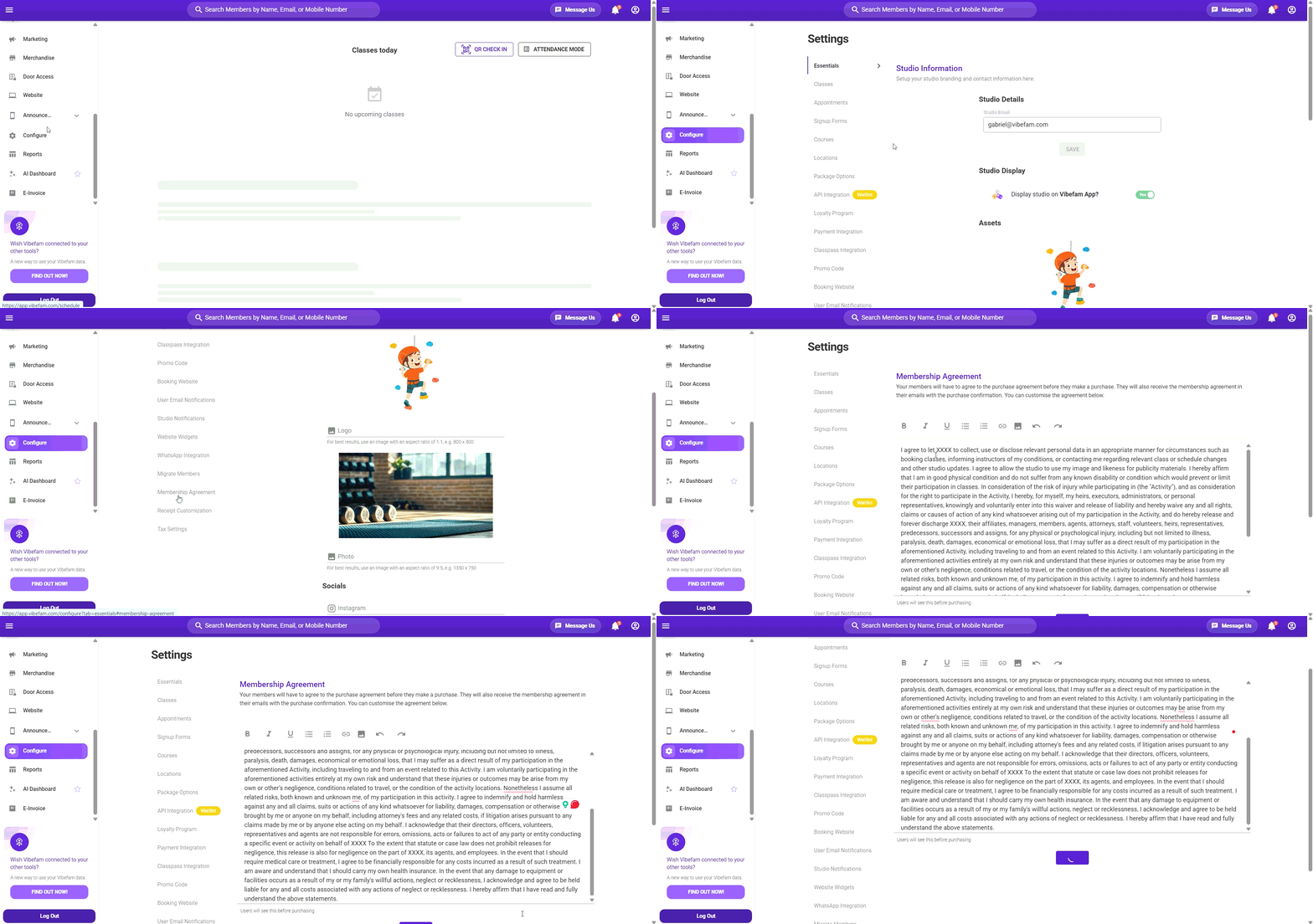
Where your members see it
| When | What happens |
|---|---|
| At account signup | The agreement is shown when a member creates an account with your studio. |
| At purchase | Members view and accept the agreement before completing any package purchase. |
| After purchase | A copy is attached as a PDF to the purchase confirmation email, so members always have their own record. |
Because it appears at both signup and checkout, the agreement is one of the few things every single member reads. Keep it clear and reasonably short.
Using the default template
Vibefam provides a ready-made agreement template. The fastest way to get started:
- Go to Configure → Membership Agreement.
- Read through the default text.
- Replace every
XXXXplaceholder with your studio name. These appear throughout the template — search the text carefully so none are missed. - Adjust any clauses that don't match how your studio actually operates.
- Click Submit to save.
An agreement still containing XXXX will be shown to members exactly as-is, and attached to their receipts that way. Check the whole document before saving.
Writing your own agreement
You can also replace the template entirely with your own terms. Paste or type your agreement into the editor and click Submit.
If you already have an agreement you use offline — for example one your members currently sign on paper — use that text so your online and in-studio terms match.
Points most studios cover:
- Cancellation and refund terms for packages and memberships
- Late cancellation and no-show fees, and when they apply
- Package expiry and whether extensions are possible
- Membership freezes or suspensions
- Health declarations and injury disclaimers
- Studio rules — arrival times, equipment, conduct
- How members' personal data is handled
Make sure the terms here match what you've actually configured in Package Options. If your agreement says packages can be frozen but your packages don't allow it, you'll be fielding complaints.
Before you go live
- Read the full agreement top to bottom with fresh eyes, checking for leftover placeholders
- Create a test account and go through signup to see how the agreement displays to a member
- Make a test purchase and confirm the PDF attaches correctly to the confirmation email
- Check that the terms match your actual package settings.
This is a legal document. The default template is a starting point, not legal advice, and Vibefam can't confirm whether it meets the consumer protection requirements in your country. If your agreement covers refunds, cancellations, minimum commitments, or health liability, have it reviewed by a qualified professional in your market before you rely on it.
Remember to click Submit for any changes to be saved.