
Locations are the venues where you run your classes. Every class and course must be assigned to a location, so set these up before building your schedule.
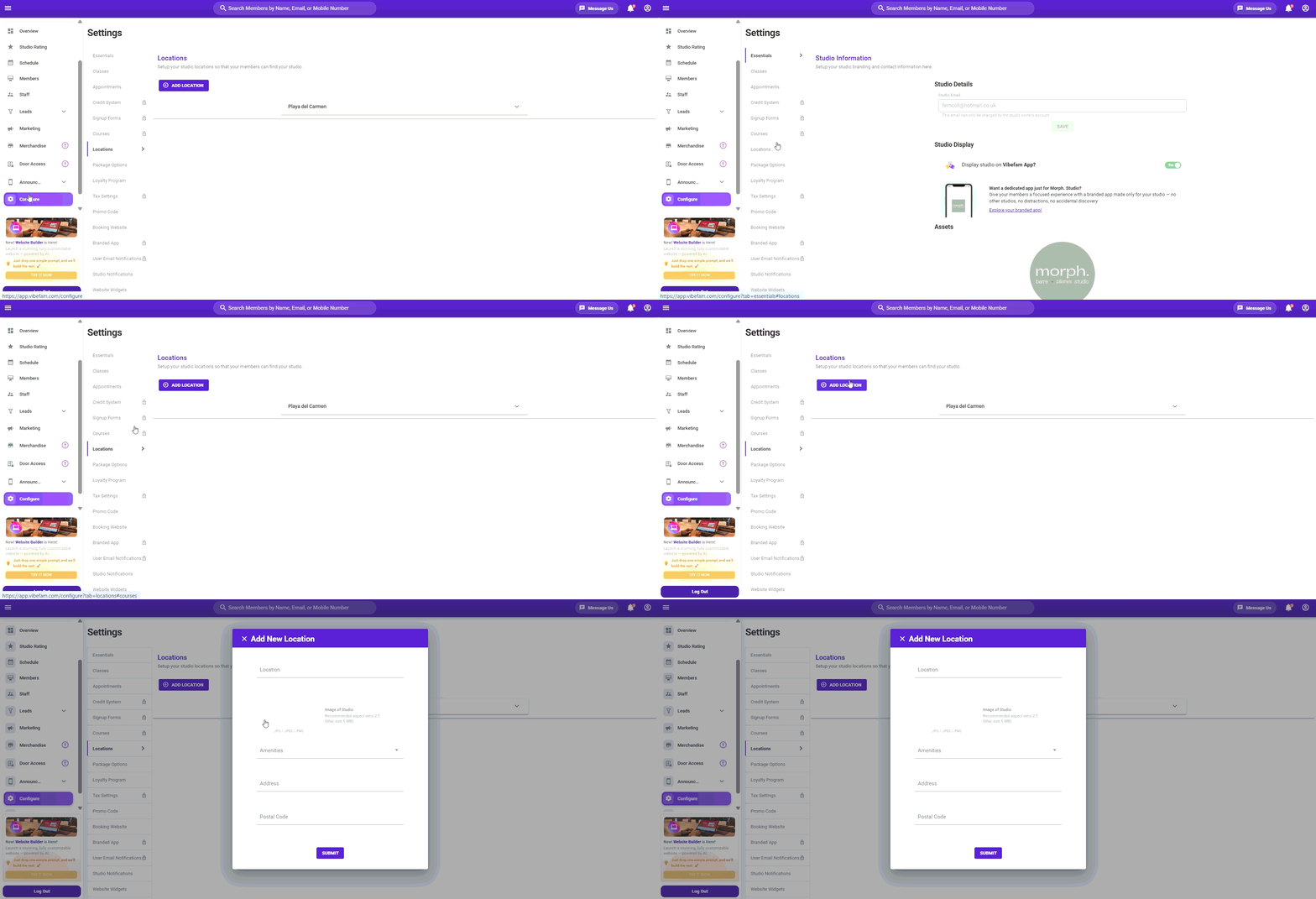
- Navigate to the Locations tab.
- Edit the default Orchard location to match your own venue rather than creating a new one from scratch.
- Enter a Location name — a short label your members will recognise, e.g. the building or neighbourhood name.
- Upload an image of your studio space.
- Select the amenities available at this location (optional).
- Enter the full address and postal code. This is what members see on your booking website and in booking confirmations, so make sure it's exact.
- Click Submit to save your changes.
How many locations can I add?
Your plan includes up to 2 locations. If you operate more than two venues, additional locations are available as a paid add-on — contact our support team to find out more.
Tip: If a package should only be redeemable at certain venues, you can restrict it under Package Options → Package Restrictions.