
It's a simple way to retain members and reach new ones, since every guest is a potential sign-up who's already tried your studio.
This article covers how group bookings work, how to switch them on, and how members use them.
How group bookings work
With group bookings enabled, a member can book more than one spot in a class from their own account. Their package credits cover the extra spots, so a member with enough credits can bring a friend (or several) without each guest needing an account first.
The number of extra spots a member can book depends on the package they hold — you set that allowance per package.
Group vs. Family bookings. Group bookings are for bringing friends along on the member's own credits. Family bookings are a separate feature for booking on behalf of linked sub-accounts (e.g. a parent booking for their children), where each family member can hold their own packages. See Setting up family accounts for that.
Setting up group bookings
Group bookings depend on two settings — one on the package, one on the class. Both must be on for a member to book group spots.
1. Enable it on the package, and set the spot allowance
.gif?width=750&height=345&name=enabled%20group%20bookings%20(1).gif)
This is where you decide how many spots a member on a given package can book.
- Go to Configure → Package Options.
- Create or edit a package, and open Advanced Options.
- Turn on Enable Group Booking.
- Set how many total spots can be booked with that package.
Full package setup is covered in Setup Packages and Memberships.
2. Enable it on the class
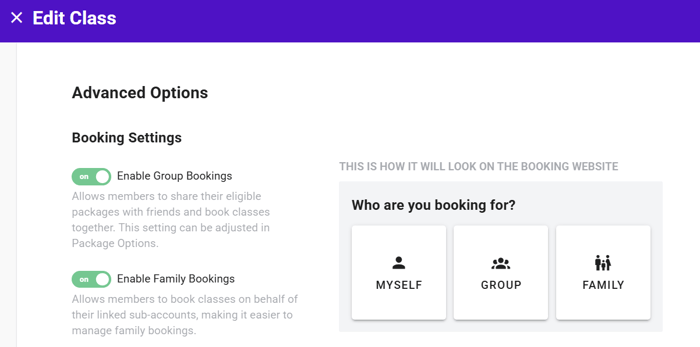
Group spots only appear for classes that allow them.
- Go to Schedule and create or edit a class.
- Under Advanced Options → Booking Settings, turn on Enable Group Bookings.
Full class setup is covered in Add Class Schedule.
If group spots aren't showing for a member, check both settings. A package that allows group booking still won't offer extra spots on a class where the class-level toggle is off — and vice versa.
How members book for friends
Once both settings are on, booking is done entirely by the member — you don't need to do anything further.
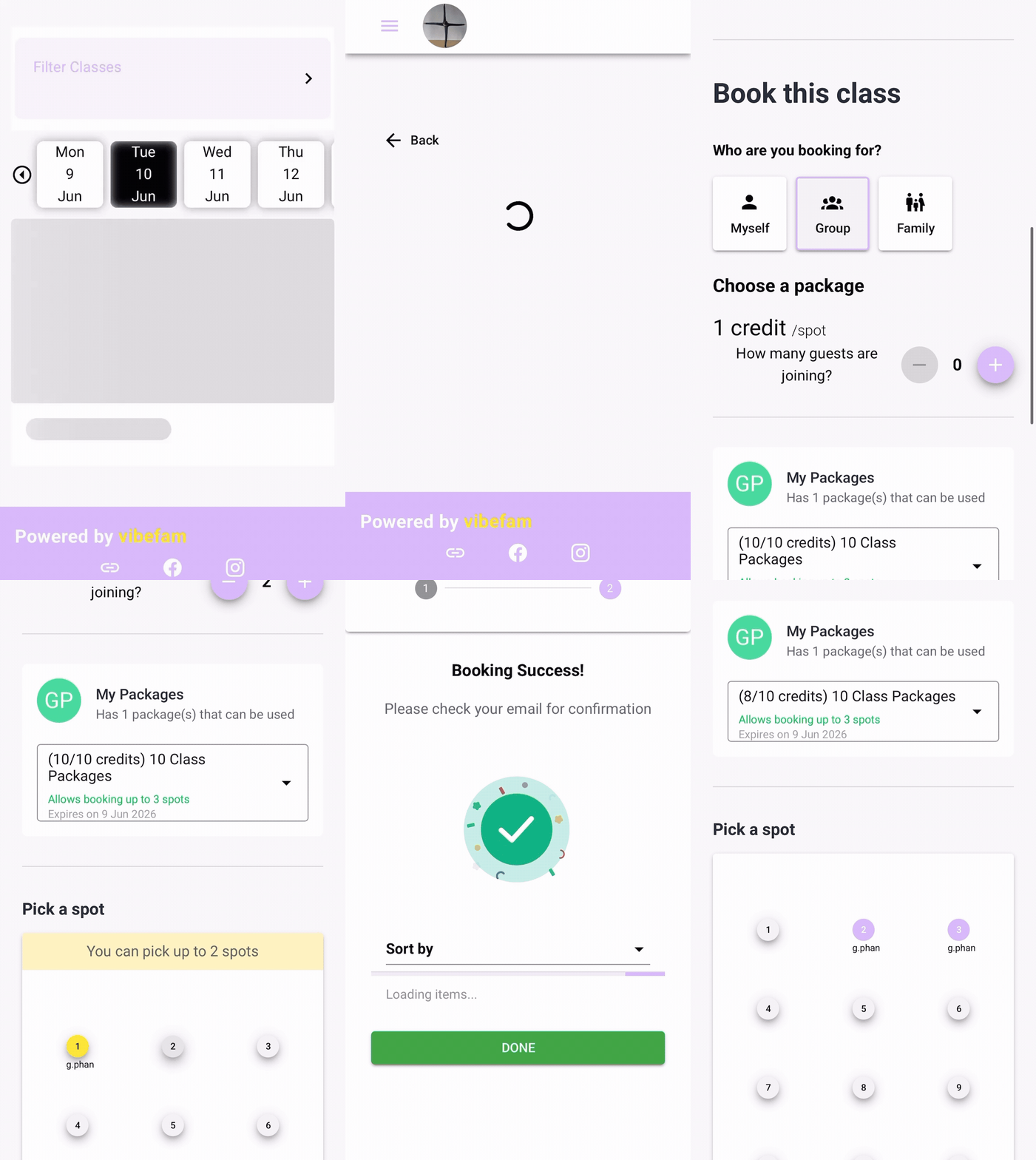
From their Vibefam app or your booking website, the member:
- Opens the class they want to book.
- Chooses to book more than one spot, up to the limit their package allows.
- Confirms — the credits for all spots are deducted from their package.
The extra spots are held under the member's booking, so their friends can simply turn up to class.